10 Tips To Improve Your Desk Setup and Home Office
Desk Setup
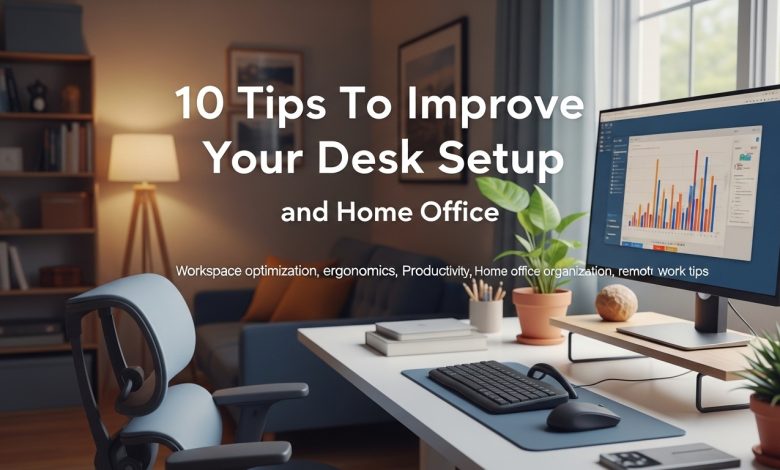
Desk Setup
I want to talk to you today about some desk setup and home office tips that might be helpful. As what’s becoming a tradition on this channel with my desk setup videos, I want to make a few things very clear. At the end of the day, productivity is not about the things you own. It’s about your mindset. I started my entire work-from-home slash desk setup journey at the kitchen table with nothing more than a laptop and an old tablet. These days, it’s easy to go down a rabbit hole of buying things you don’t need. If you’re already happy with your setup, then you’ve already won the game.
The tips in this video can help you fine-tune your setup. None of the things I talk about are necessary for you to… be productive, and certainly none of the items I show you are necessary to buy. Always take your time upgrading your desk setup, and please only purchase products when it’s reasonable for you to do so. With that, let’s dive into the video. As someone who works from home, having a good chair is obvious. helpful. However, they can cost a fortune, and that’s not the first tip of this video. No matter what chair you use, having a good footrest is really helpful. It helps alleviate pressure off your lower back and improves your overall posture—which can reduce strain on your legs, hips, and spine, even if you have a sit-stand desk.
Using a footrest while sitting can prevent fatigue during those long work sessions. I use the ErgoFoam footrest, which has a slight incline and soft cushioning, but no matter what you use, a good footrest can have a noticeable difference. It is a small investment that can make you feel more comfortable. Now, I don’t like monitor stands because they take up unnecessary desk space, especially with some of the larger panels these days. The first thing I do with any new monitor I get is mount it. Using a monitor arm has several advantages. First, it frees up desk space underneath it and allows you to adjust the panel better to eye level for better ergonomics.
Most monitor stands don’t go high enough for my own preference. Last— this is just my opinion, but it gives the setup a much cleaner look. Most monitors these days are VESA-compatible, which means they can be easily mounted on monitor arms, most of which support that mounting standard. Let’s talk about cable management. I’m not the best at this, but I get by. This might seem like a ridiculous tip, but one thing that has made cable management manageable for me has been using velcro cable ties, now much like desktop wallpaper. I tend to change my desk layout from time to time, and I prefer cable ties over traditional zip ties.
really helpsSimply put, Velcro ties are reusable, easy to adjust, and make your life a lot easier with any future cable management. have a sit-stand desk and a PC another cable management technique I found helpful is to organize all your cables while the desk is at its standing height doing this ensures that none of the cables are too short when the desk moves up and down preventing them from stretching, or worse, Getting yanked out of your devices as a software engineer by day. An important tool for me is the keyboard as well. I spend a lot of time typing, and I’ve made my share of keyboard videos so far, but I never talk much about the functional but boring sibling— the all-important wrist rest.
There are all sorts of different doohickeys and ergonomic tools out there, but I still like using a simple wrist rest for my work. It helps maintain a more natural wrist position, reducing strain on your hands and forearms. When choosing a wrist rest, it’s important to match it to the size and height of your keyboard. For example, with my Rogue Azoth, a higher-profile keyboard, I went with the HyperX wrist rest, which is thicker and much more comfortable for it. Still, I wouldn’t use the same wrist rest with a lower-profile keyboard like the G915 TKL. One of the best things I’ve ever purchased for my setup has been a light bar. Seriously.
Having a light bar above my monitor has made a huge difference in reducing eye strain, especially during late-night work sessions. A light bar provides focused lighting without causing glare on the screen—unlike a traditional desk lamp, it directs light down and away from the screen, ensuring your workspace is well-lit without reflections. Personally, I’ve been using the original BenQ screen bar on my monitor for years now. But I’ve also used the light bar from Quintus, which is a lot cheaper and still works well. To also help with eye strain, another thing I’ve found useful is extra bio… Lighting behind the monitor can come from various sources, including the monitor itself.
In the case of the LG38GA950B with LG Sphere lighting, for example. I’ve gone way too far down the Philips Hue rabbit hole at this point, so I use a combination of two Philips Hue play bars that sit behind the monitor and a light strip around my desk. Still, there are many other options, like simple LED strips around the back of the monitor, which I use on the bedroom TV, for example. Or you can go for some cheaper RGB lights from Amazon as well. Whether you’re in a shared space or alone in your office, one great thing to get into the zone is noise-canceling headphones. Whether you’re coding, writing, or editing, the ability to focus more deeply, free from environmental noise, can make a big difference to your productivity.
Many of these headphones come with a mic, so if you need to hop onto a quick Zoom call, for example, it’s seamless to switch between working and having a meeting. If you want to splurge a bit, headphones with ANC (Active Noise Cancellation), like the Sony XM5s, are fantastic. These headphones work by picking up external sound waves and inverting themthem through a process called phase inversion, which cancels out the sound. ANC is great at reducing low-frequency noise; it sounds like background chatter. This is opposed to passive noise cancellation in other headphones, where the headphones physically block sound with soundproofing. If you use a laptop, a good USB dock is a very helpful companion. I rely heavily on mine for my content creation workflow and to expand the limited number of ports on my laptop.
It just makes your laptop setup more versatile, especially when it’s plugged in at your desk. A good dock can also provide power delivery, so it can charge your laptop while simultaneously powering all of your devices. I use the CalDigit TS4, which, unfortunately, has gotten more expensive over the past year and a half since I first bought one. But I will say that the TS4 is awesome with its support for Thunderbolt 4 and 9, 9 watts of power delivery through a single cable, up to 40 gigabits per second data transfer speeds, which is obviously great with a 4K monitor, not to mention eight ports of connectivity. This one sounds weird, but keeping your desk area clean and organized is really important.
Not only does it make your setup look better, but it also improves efficiency. When everything has its place, you’re not wasting time looking for things. Plus, regularly cleaning your desk and equipment can also extend the life of your tech by keeping dust and dirt away. I use a combination of a Swiffer duster, a manual air blower, or a compressor air machine, and microfiber cloths with some plain old water. Since my desk is made of walnut, I refrain from using any chemicals to clean it. Overall, this is obviously a simple habit, but it can make a big difference in creating a more productive and enjoyable work environment. One thing that sometimes can go forgotten is the air quality in your office.
This is particularly important if your office is in a closed space or if you have a pet like me. Not only does it make you feel better, but it also helps protect your tech by reducing dust that settles on your equipment. An air purifier can be a small addition with a big impact on your overall well-being and the longevity of your devices. PC owners will know what I’m talking about when they realize how dusty their hardware can become over time. In my last office, I used one from a brand called Jafonda, which had a cool orange light you could toggle on and off beneath it. And more recently, I picked up a large air purifier. Purip.
An air purifier from a brand called Blue Air and another one for my office—the large version can connect to Wi-Fi and has an app that lets you monitor air quality in real time, adjust the settings, and schedule when it runs. The app also provides insights into filter life, so you know exactly when it’s time to replace it. The smaller one I have doesn’t connect to Wi-Fi, but it has a much smaller footprint, of course, and still works great in this small space. Lastly, to make your space more inviting, you can personalize your setup with different items. The items can be anything, as long as they make you happy. Posters, wall frames, photos, desk collectibles, plants, and a favorite mug all add personality and can make your office uniquely yours.
Even a fresh coat of paint can make an immense difference to the look and feel you’re going for. Did I spit when I said paint? Okay. I also include lighting in this category. Lighting can make or break your desk setup’s look and feel, and the right lights, in the right places, can change the entire mood. The lights you choose to use are a reflection of your own tastes and preferences, so never underestimate the power of a few good lights. All right, so before we finish the video, I have one more bonus tip. And that is to do whatever makes you happy with your own setup. If you didn’t like any of the tips in this video, that’s totally fine. These tips are my own personal opinions that…
It could inspire your space. Ultimately, your setup should reflect your personality, requirements, and preferences. The best workspace is the one that makes you feel comfortable, productive, and happy. So at the end of the day, you should design it however you like. Just remember, building a desk setup isn’t a race. It’s a journey, as corny as that sounds. So be sure to take your time doing it. Buy products when it makes sense. Try not to get caught up in all the new desk toys and goodies on YouTube, including my suggestions. And don’t rush anything. Save up for the thing you really want, as those items will usually last longer anyway. That’s about all I have for this one, guys.